Using the UC100 with Mach3

by Alistair McDonald
Posted on 01/09/2023

To use the UC100 parallel port to USB driver you will need to make the following settings changes:

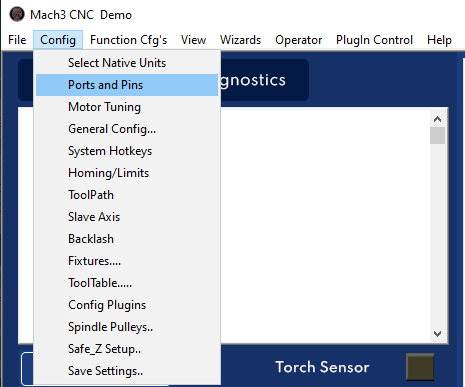
Open Config – Ports & Pins – Motor Outputs
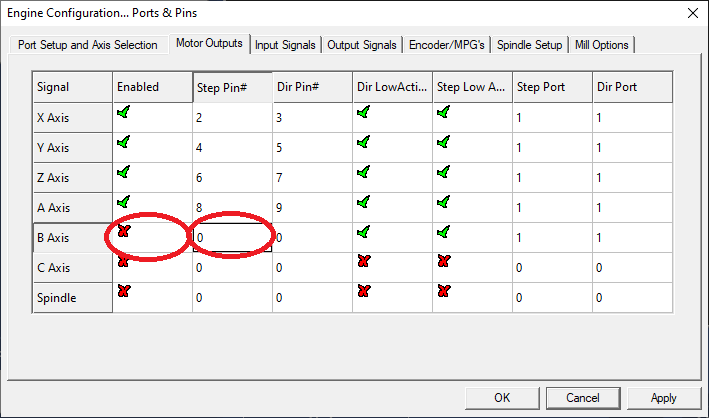
Make changes as per this screen (disable the B Axis):
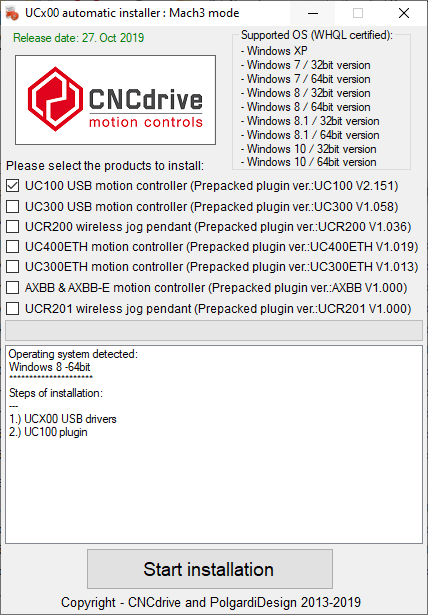
Download and run the driver from http://cncdrive.com/MC/UC100%20full%20auto%20installer/UCx00setup.exe

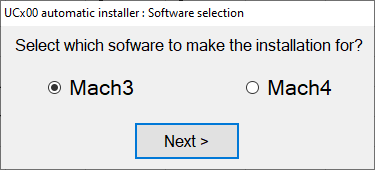
When asked, make sure ‘Mach3’ is selected.
Related Posts

In Mach3 next to the ‘file’ tab in the top left of the window, select ‘Config,’ then select ‘General Config.’…

Skilled operators and well-maintained plasma arc cutting (PAC) equipment are essential for maximizing efficiency and minimizing costs in any cutting…

Hypertherm plasma cutters are known for their high quality cuts. However, there are a few common problems that can occur…

Work with us today

For more information on our products, services, and solutions, and to get
pricing, please click on the button below.